SketchUp AI assistant
A SketchUp AI assistant that builds in your model.
Roommie Pro is a Mac app that builds 3D models inside SketchUp while you chat. Ask for “a 5 by 4 m living room with a sofa” and it builds the walls with real thickness, cuts the door and window openings and places the furniture, each as its own named group on its own tag. Then it looks at the model from above and in 3D and fixes what is off.
See Roommie Pro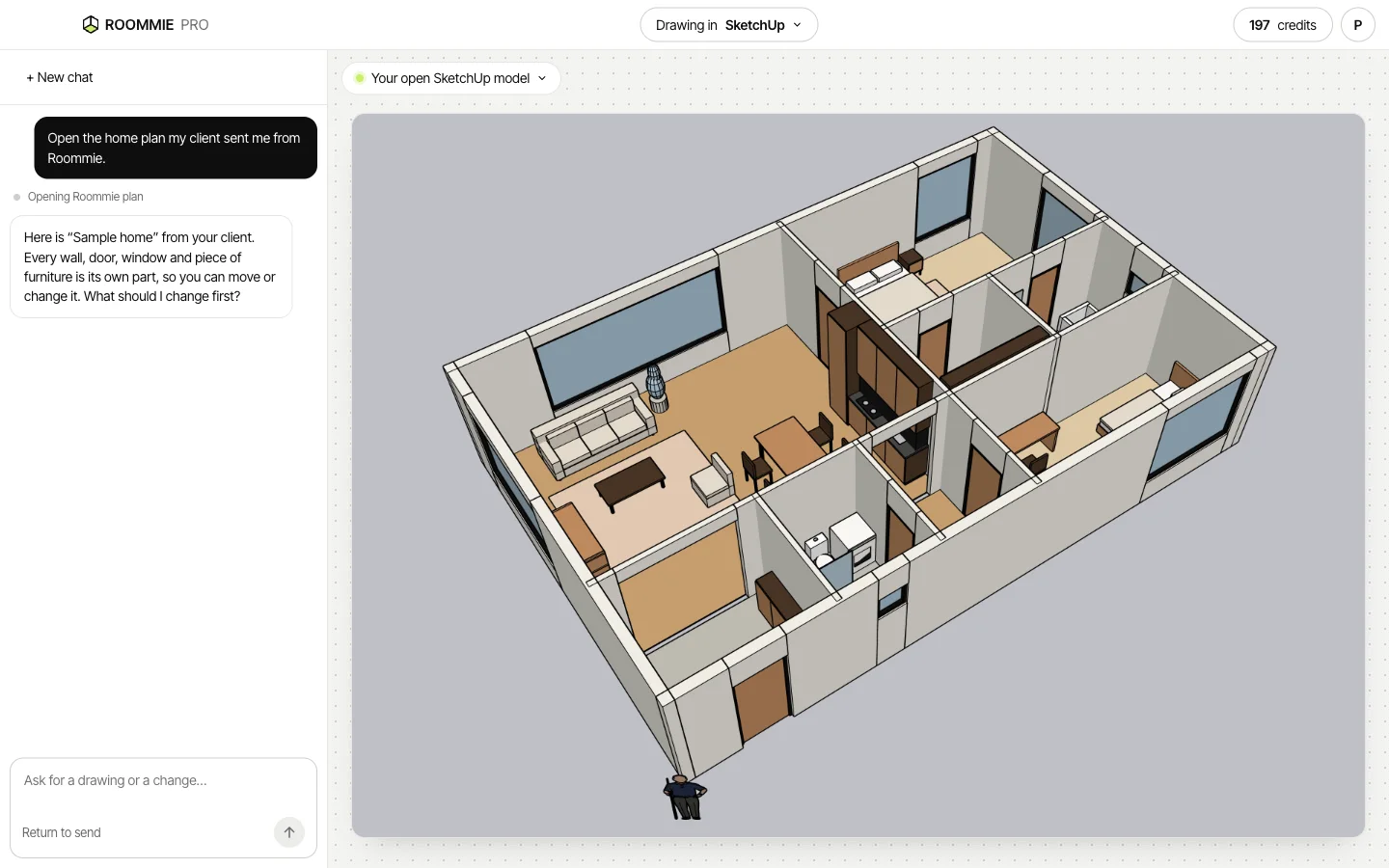
What it builds
Sizes are in millimetres, and you can change any default by saying so.
- Walls with real thickness, 2.7 m high unless you ask for another height
- Doors and windows as real openings through the wall
- Furniture as simple boxes at real size
- Tags: Walls, Doors, Windows and Furniture
- A few calm materials for walls, floor and furniture
A clean model you can keep working on
Every wall, door, window and piece of furniture is a separate named group. You can select, move, hide or replace any part, for example swap a furniture box for a component from your own library.
Every step can be undone
Each job is one undo step in SketchUp. Your own groups stay as they are unless you ask for a change.
It checks its own work
After each job, Roommie Pro looks at a picture of the result, the way you would glance at the screen. If a wall runs across a door, a piece of furniture overlaps a wall or a size is wrong, it fixes it and looks again before it answers you.
Open a client's plan in SketchUp
Homeowners who plan their home in Roommie can tap “Send to my architect” and type your email address. The plan shows up in Roommie Pro when you sign in with that address, and one click opens it in your app with walls, doors, windows and furniture as separate parts.
What you need
Roommie Pro works on a Mac.
- SketchUp for Mac, bought from Trimble.
- A Roommie account. Each request you type costs 1 credit, and a new account starts with 12 free credits.
- Roommie Pro for Mac, coming to the Mac App Store.
Questions
Is there an AI assistant for SketchUp?
Yes. Roommie Pro builds in SketchUp on a Mac from a request in plain words, then checks the model and fixes mistakes.
Does it work with SketchUp for Web or iPad?
No. It works with SketchUp on a Mac.
Does it make renders?
No. It builds the model. Render it with the tool you already use.
Will it change my existing model?
Only when you ask. It puts its work in its own groups and tags.
What does it cost?
Each request you type costs 1 credit. The drawing, checking and fixing that follow are included. It uses the same account and credits as Roommie, and a new account starts with 12 free credits.
Updated 5 November 2026. Roommie Pro drawings are drafts. Check them before you use them for building. AutoCAD, SketchUp and ArchiCAD are trademarks of their owners. Roommie is not affiliated with Autodesk, Trimble or Graphisoft.