For architects
An AI drafting assistant that works in your CAD app.
Roommie Pro is an AI drafting assistant for architects, interior designers and drafters on a Mac. You type the request the way you would brief a junior drafter. It draws in AutoCAD, SketchUp or ArchiCAD, in the file you have open, then looks at the result and fixes mistakes before it answers.
See Roommie Pro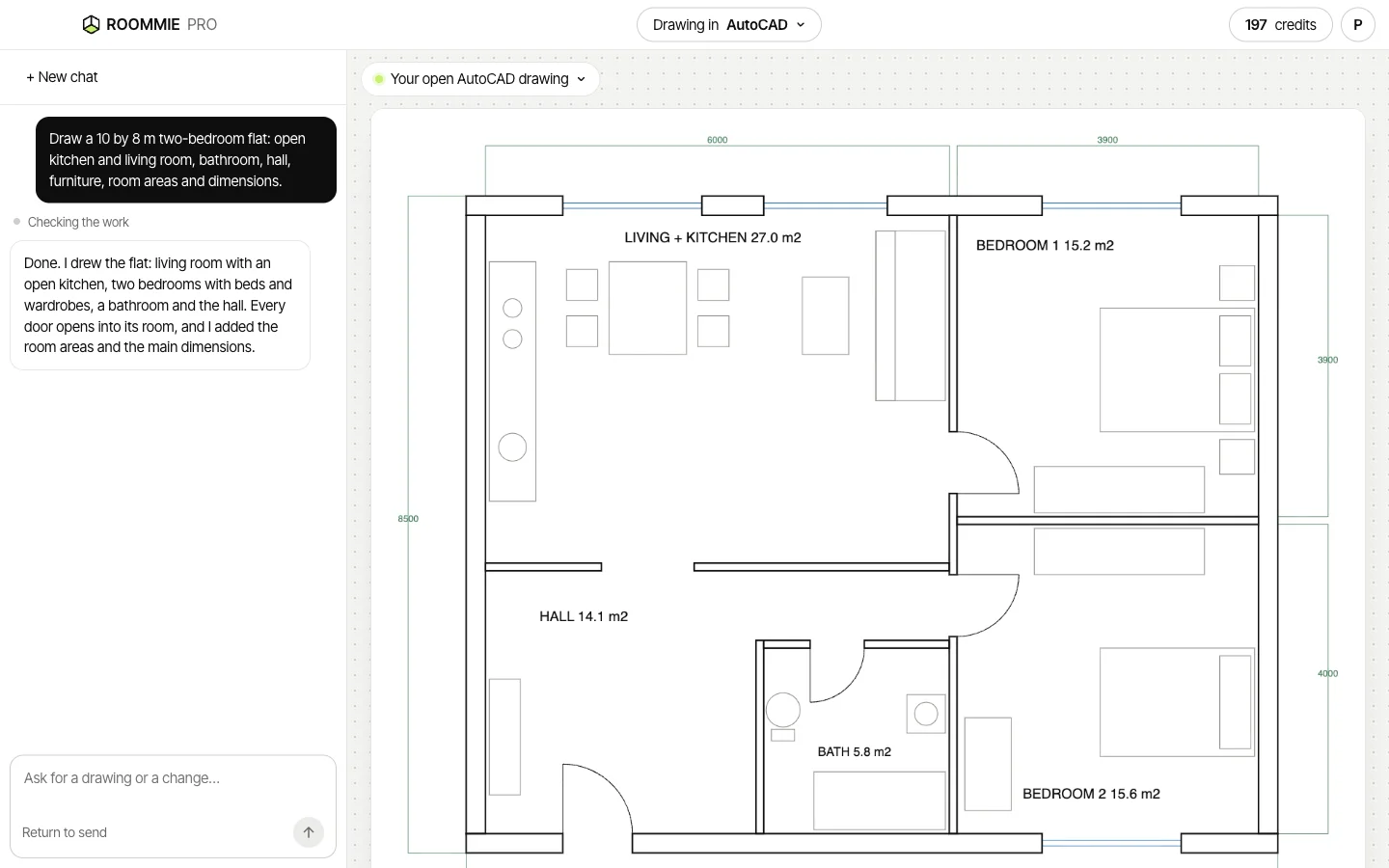
Brief it like a drafter
Give sizes, walls and positions in plain words. You never see code or command names.
- “Draw a 6 by 4 m bedroom with a door on the south wall and two windows on the north wall.”
- “Add a double bed against the east wall and a wardrobe on the west wall.”
- “Make the door open into the room.”
- “Make the walls 3 m high.”
Good jobs for it
It works in your own files, so the draft is already where you will finish it.
- A first layout of a room or a flat to show a client
- Bringing a homeowner's Roommie plan into your own app
- Furnishing a plan with pieces at real size
- Small repeated changes, like moving a door or resizing a room
Three apps, one assistant
In AutoCAD for Mac it draws on clear layers in millimetres. In SketchUp it builds a 3D model with named groups on tags. In ArchiCAD it places real walls, doors, windows, slabs and objects from your library.
It checks its own work
After each job, Roommie Pro looks at a picture of the result, the way you would glance at the screen. If a wall runs across a door, a piece of furniture overlaps a wall or a size is wrong, it fixes it and looks again before it answers you.
What stays with you
Design decisions, details, code checks and construction drawings. Roommie Pro gets you to a clean draft faster. You check it and finish it.
Plans from your clients
Homeowners who plan their home in Roommie can tap “Send to my architect” and type your email address. The plan shows up in Roommie Pro when you sign in with that address, and one click opens it in your app with walls, doors, windows and furniture as separate parts.
Questions
Can AI do drafting for architects?
Yes, for drafts. Roommie Pro draws walls, doors, windows and furniture in your CAD app from a typed request. You still check and finish the drawing.
Which apps does it work with?
AutoCAD for Mac, SketchUp and ArchiCAD, on a Mac. ArchiCAD also needs the free Tapir add-on.
Do I need to learn commands?
No. You type in plain words, and it answers in plain words.
Does it work on Windows?
No. Roommie Pro is a Mac app.
What does it cost?
Each request you type costs 1 credit. The drawing, checking and fixing that follow are included. It uses the same account and credits as Roommie, and a new account starts with 12 free credits.
Updated 5 November 2026. Roommie Pro drawings are drafts. Check them before you use them for building. AutoCAD, SketchUp and ArchiCAD are trademarks of their owners. Roommie is not affiliated with Autodesk, Trimble or Graphisoft.