AI drafting software that works inside your CAD app.
Most AI drafting software makes you move to a new program. Roommie Pro works the other way round. It is a Mac app that drafts inside AutoCAD for Mac, SketchUp or ArchiCAD, in the file you already have open. You type the brief in plain words, it drafts, then it looks at the result and fixes mistakes before it answers.
See Roommie Pro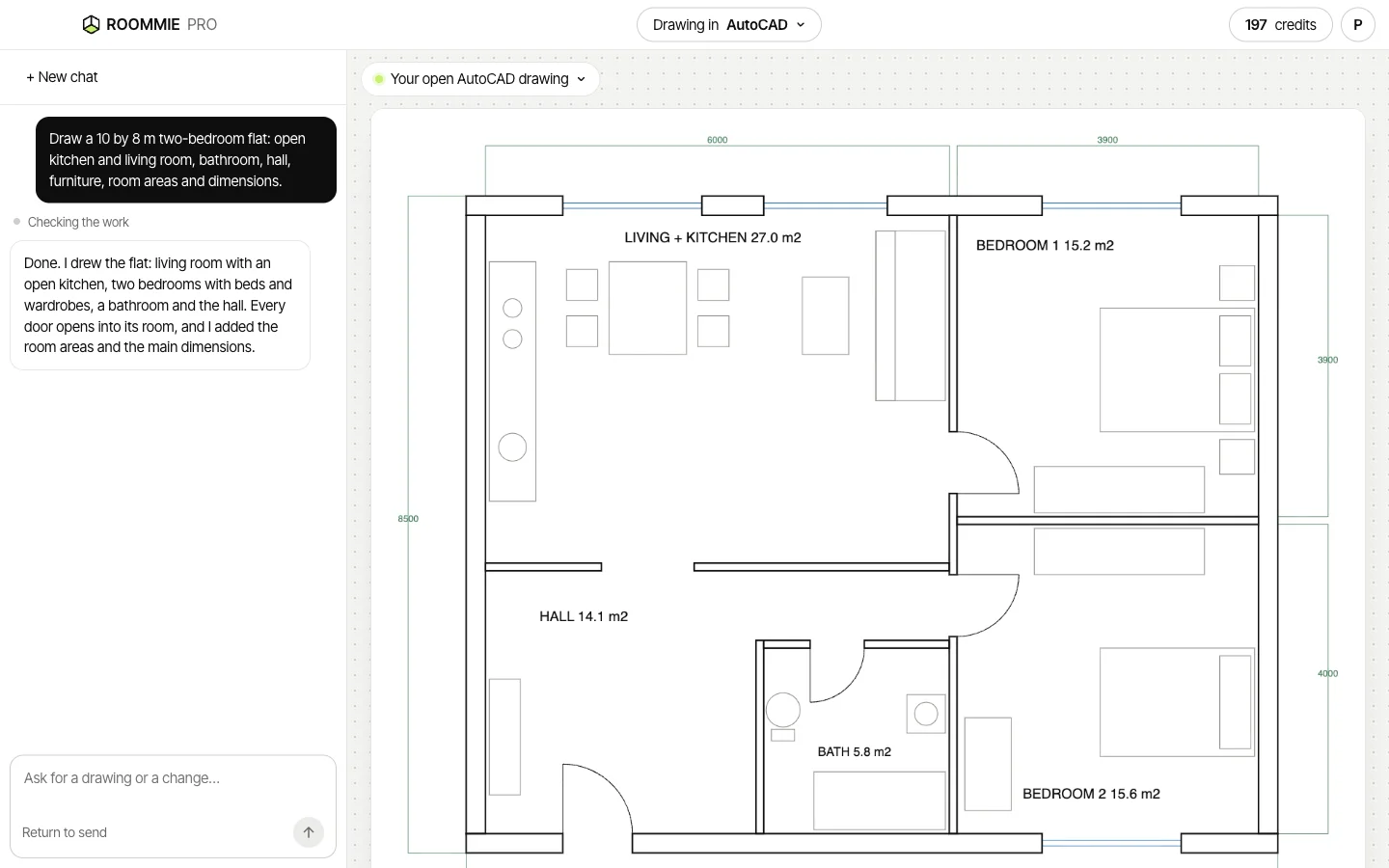
What to look for in AI drafting software
Roommie Pro was built around these five points.
- It works in your own files, so you finish the drawing where you always do.
- It draws real parts: walls with thickness, doors with a swing, windows in the wall.
- It keeps its work apart from yours, on its own layers or groups.
- It checks its own result, so you don't fix the same mistakes every time.
- You can see what each request costs before you start.
How a request looks
You never see code or command names. It answers in plain words and tells you what it drew.
- “Draw a 6 by 4 m bedroom with a door on the south wall and two windows on the north wall.”
- “Add a double bed against the east wall and a wardrobe on the west wall.”
- “Make the door open into the room.”
Three apps, one assistant
In AutoCAD for Mac it draws lines, polylines, arcs and text on clear layers in millimetres. In SketchUp it builds a 3D model with each wall, door and piece of furniture as a named group on a tag. In ArchiCAD it places real walls, doors, windows, slabs and objects from your library.
It checks its own work
After each job, Roommie Pro looks at a picture of the result, the way you would glance at the screen. If a wall runs across a door, a piece of furniture overlaps a wall or a size is wrong, it fixes it and looks again before it answers you.
What stays with you
Design decisions, details, code checks and construction drawings. Roommie Pro gets you to a clean draft faster. You check it and finish it.
Plans from your clients
Homeowners who plan their home in Roommie can tap “Send to my architect” and type your email address. The plan shows up in Roommie Pro when you sign in with that address, and one click opens it in your app with walls, doors, windows and furniture as separate parts.
What you need
Roommie Pro works on a Mac.
- AutoCAD for Mac, SketchUp for Mac or ArchiCAD for Mac. ArchiCAD also needs the free Tapir add-on.
- A Roommie account. Most requests use about 4 to 8 credits and never more than 10, and a new account starts with 30 free Roommie Pro credits.
- Roommie Pro for Mac, coming to the Mac App Store.
Questions
What is AI drafting software?
Software that turns a written request into a drawing. Roommie Pro does this inside AutoCAD for Mac, SketchUp or ArchiCAD, in the file you have open.
Can AI make construction drawings?
No. Roommie Pro makes drafts: walls, doors, windows and furniture at real size. Details, code checks and construction drawings stay with you.
Does it make renders?
No. It drafts and models. Render with the tool you already use.
Does it work on Windows?
No. Roommie Pro is a Mac app.
What does it cost?
You pay for the work each request takes. Most use about 4 to 8 credits and never more than 10, with the drawing, checking and fixing included. Roommie Pro has its own credits, apart from Roommie, and a new account starts with 30 free credits.
Updated 15 November 2026. Roommie Pro drawings are drafts. Check them before you use them for building. AutoCAD, SketchUp and ArchiCAD are trademarks of their owners. Roommie is not affiliated with Autodesk, Trimble or Graphisoft.